
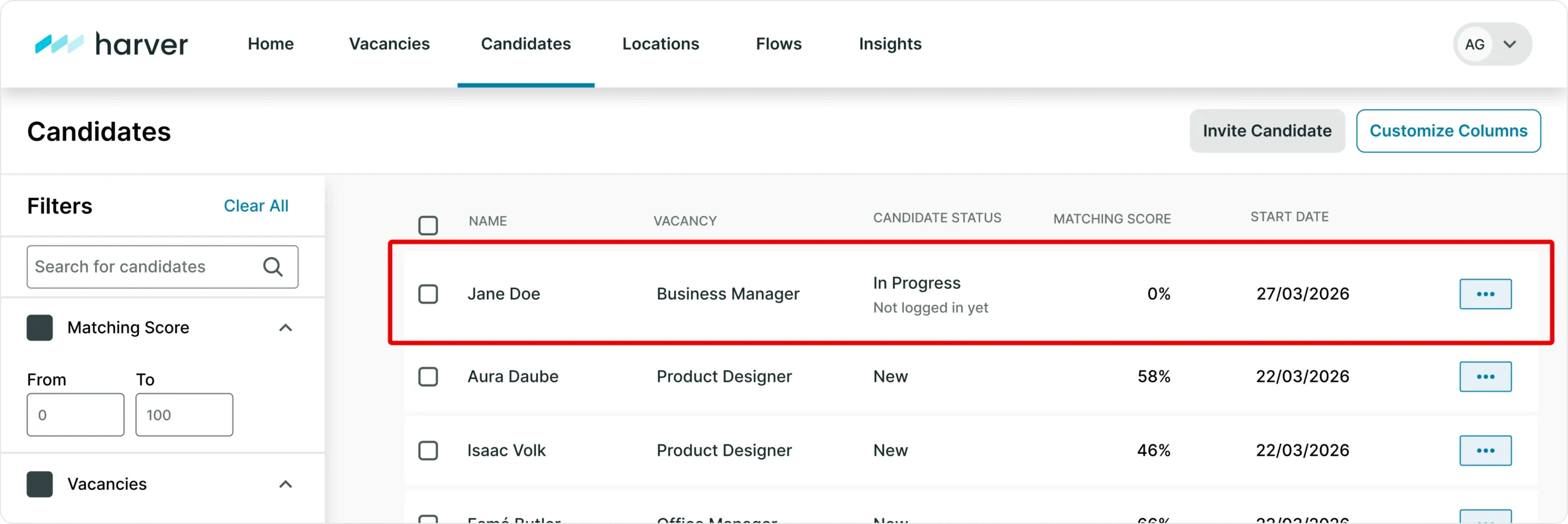
Harver’s new Candidate Invitations suite gives recruiters and HR teams a direct way to bring candidates into an assessment, individually or in bulk, without leaving the platform. Individual Invite lets a recruiter invite a specific candidate with just a name and email address. Bulk Invite lets HR teams invite hundreds of candidates or employees at once via CSV upload. Together, they give your team more control over how, and how quickly, candidates enter the hiring process.
Whether you’re moving fast on a single standout candidate or mobilising an entire hiring event, every invitation, individual or bulk, stays inside Harver and is tracked automatically from the moment it’s sent.
Built for the moments that need speed and scale
Recruiting teams often need to move fast on two fronts: getting a specific, already-identified candidate into an assessment right away, and mobilising large groups, for a job fair, a cohort hire, or an org-wide employee assessment programme, without days of manual coordination. Candidate Invitations is built for both.
That combination, instant individual invites and CSV-driven bulk invites, means your team can move at the pace the moment calls for, whether that’s one candidate or one thousand.
How Individual Invite and Bulk Invite work
Candidate Invitations includes two features built on the same underlying infrastructure. Individual Invite lets a recruiter bring a specific candidate into a vacancy directly from the Candidate Overview page, just a name and an email address. Bulk Invite lets recruiters and HR teams invite hundreds of candidates or employees at once: download a CSV template, fill it in, upload it, review a validation summary, and confirm. Every eligible row is invited in a single action.
Every invitation, individual or bulk, is tracked automatically on the Candidate Detail Page, which records who sent it and when, giving your team full visibility into how each candidate entered the process.
What this means for your team
For recruiters, it means being able to act the moment they identify a strong candidate: enter a name and email, and they’re on their way.
For HR administrators running job fairs or internal assessment programmes, it means turning a list of hundreds of contacts into invitations in minutes, with built-in validation that flags missing fields, duplicates, and candidates subject to reapply rules before anything is sent.
For CHROs and People leaders, it means a clear, built-in record of how every candidate entered the process, valuable for regulated industries and multi-recruiter programmes alike.
Purpose-built for job fairs and workforce-wide programmes
Bulk Invite in particular is purpose-built for two scenarios we hear about constantly: recruitment events where teams collect candidate details on-site and want to invite everyone as soon as they’re back at their desks, and internal employee assessment programmes that need to reach an entire workforce at once. Both are moments where speed and scale matter most.
Who Candidate Invitations is built for
Candidate Invitations is for any recruiting or HR team that wants a direct way to bring candidates into Harver, at any volume:
- Recruiters managing sourced or referred candidates
- Talent acquisition teams running job fairs and hiring events
- HR teams running internal, org-wide assessment programmes
- Enterprise and mid-market teams hiring at high volume
If your team sources candidates directly, runs high-volume hiring events, or manages org-wide assessment programmes, Candidate Invitations was built for you.
Candidate Invitations FAQ
What’s the difference between Individual Invite and Bulk Invite? Individual Invite is for inviting one candidate at a time by entering their name and email. Bulk Invite is for inviting up to 100 candidates or employees at once via CSV upload.
How many candidates can I invite in a single Bulk Invite batch? Up to 100 candidates per CSV file. Larger lists can be split across multiple uploads.
Does Candidate Invitations cost extra? No. Both Individual Invite and Bulk Invite are included in Tier 1 for all customers, at no additional charge.
How do I know who invited a candidate? Every invitation is tracked automatically on the Candidate Detail Page, which records who sent it and when.
Get started with Candidate Invitations
Getting the right candidates into your pipeline faster is a direct lever on your return on talent investment. Candidate Invitations gives your team a fast, auditable way to bring any candidate into an assessment, at any scale.
Candidate Invitations is included in Tier 1 for all customers, at no additional charge.
Already a Harver customer? Contact your CSM to get Candidate Invitations enabled on your account.
New to Harver? Request a demo to see how Individual and Bulk Invite fit into your hiring workflow.